
The Austrian cash register is coming to Docelix.
A dedicated cash-register workspace is planned for Austrian businesses. It is intended to connect checkout, fiscally signed receipts, and cash sessions with Docelix finance workflows. An integration with fiskaly SIGN AT is planned for RKSV signing.
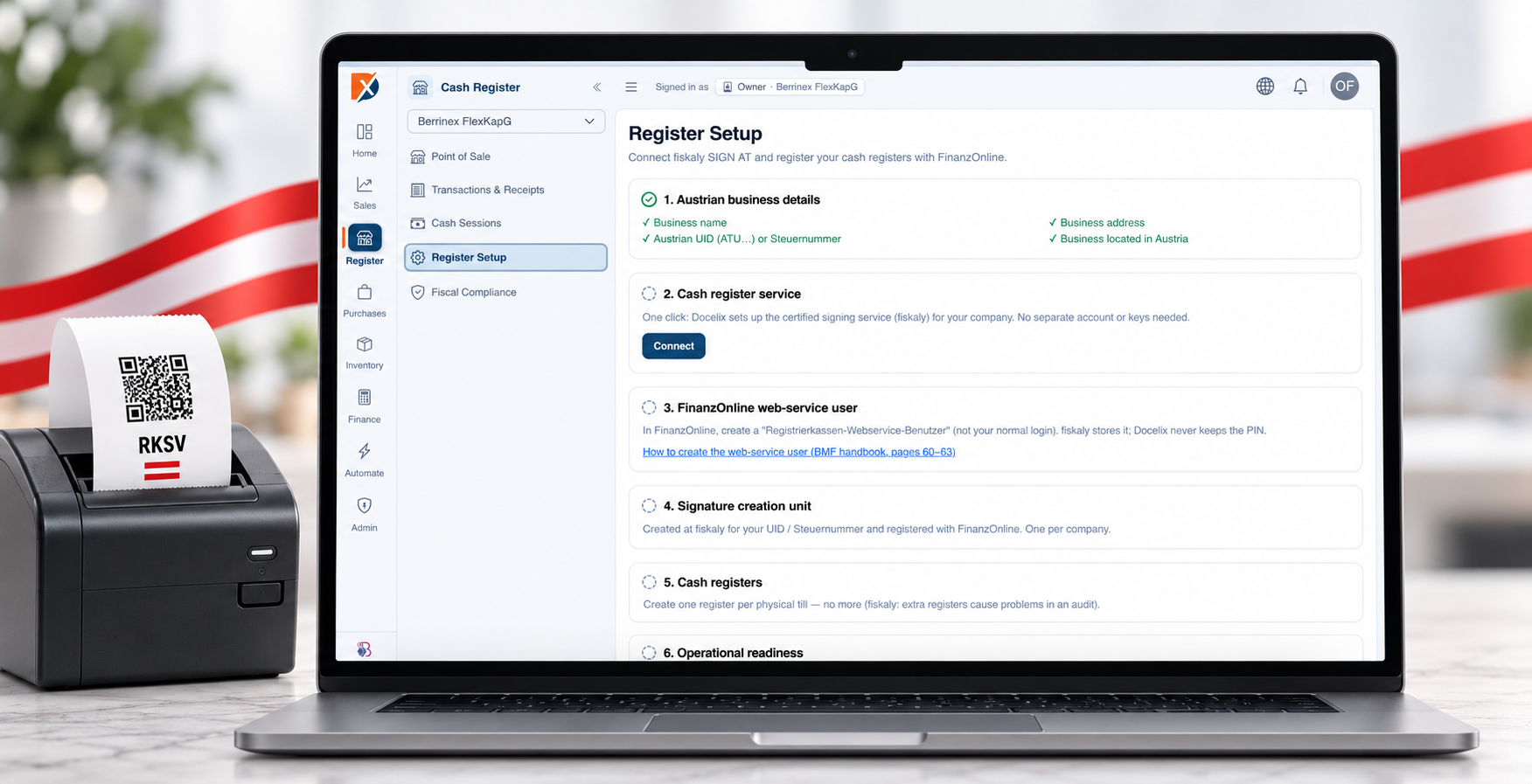
A clear flow, step by step.
- 01Set up the business and register service
The planned setup will prepare the business details and cash register. It is intended to show the connection to fiskaly SIGN AT and the required FinanzOnline steps.
- 02Record a sale and payment method at checkout
At checkout, staff will record sale items and the payment method. Supported devices, payment types, and workflows will be confirmed before release.
- 03Sign and issue the receipt with fiskaly SIGN AT
The receipt is intended to be sent to the signing service and issued after a successful signature. Register status should make errors or service interruptions visible.
- 04Close the cash session and review sales
At the end of a session, staff should be able to review cash movements and receipts and close the session. Reviewed sales data is intended to feed the Docelix finance overview; the exact reconciliation flow is still being defined.
What supports the work.
Point of sale
Integrated into the workflow and designed for day-to-day work.
Transactions and receipts
Integrated into the workflow and designed for day-to-day work.
Cash sessions and closing
Integrated into the workflow and designed for day-to-day work.
fiskaly SIGN AT, RKSV, and FinanzOnline status
Integrated into the workflow and designed for day-to-day work.
The cash-register workspace is in development and is not yet generally available. This page describes the planned workflow; the fiskaly integration, FinanzOnline setup, and RKSV behaviour will be reviewed before launch.
Point-of-sale, receipt, session, setup, and compliance areas are present in product development; general availability has not yet been approved.
Common questions
Can I use Docelix with multiple companies?+
Multiple company workspaces can be supported depending on plan, role, and configuration.
Does Docelix replace professional review?+
No. Docelix structures and assists workflows; responsible people review and approve sensitive finance and tax data.
Which integrations are available?+
Supported email and other connections depend on provider, plan, and individual setup.
See Docelix through your own workflows.
In a personal demo, we focus on the workspaces that matter to your business.